



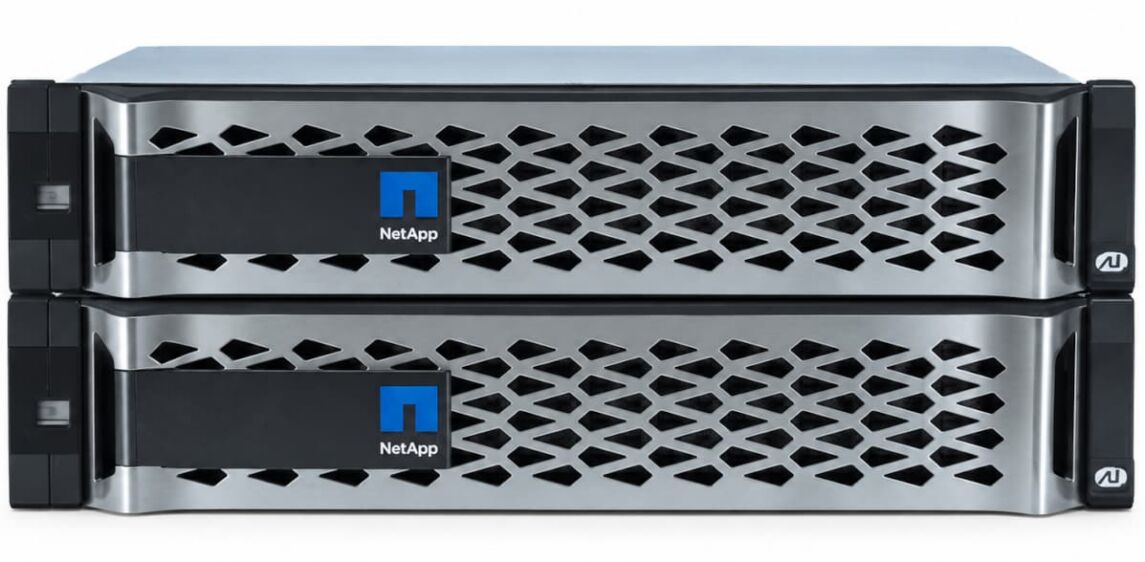
NetApp AFF A300: EOL, EOSL and Your Options Afterwards
Manufacturer support for the NetApp AFF A300 ends on 30 November 2026. That marks the EOSL. From 1 December onwards, NetApp will no longer supply spare parts for the system, will not accept support cases and will not release firmware updates for this platform.
For IT managers, the question already arises today: migrate, or hand maintenance over to a third party provider?
Key facts at a glance
- Manufacturer support for the NetApp AFF A300 ends on 30 November 2026. After that, NetApp will not supply spare parts, will not handle support cases and will not release any further firmware updates.
- The highest installable version is ONTAP 9.16.1, or only 9.15.1 with DS2246 shelves using IOM6 modules. Full support for 9.16.1 runs until 31 January 2028, around 14 months longer than hardware support.
- The biggest risks in continued operation are sourcing NetApp-coded SSDs, the NVRAM battery ageing after three to five years, and missing CVE patches for the BMC and Service Processor.
- If the system carries tier 1 data, migration belongs before the deadline. As a backup target, SnapMirror target or file server, the A300 can be run for another 7 to 10 years under a maintenance contract with a third party provider, usually 40 to 50 percent cheaper than with the manufacturer.
Product lifecycle of the NetApp AFF A300
| Milestone | Date / Status |
| Market launch | November 2016 |
| End of Availability | May 17, 2021 |
| End of Life (EOL) | November 30, 2021 |
| Highest installable ONTAP version | 9.16.1 (with DS2246 shelves and IOM6 modules: 9.15.1) |
| End of Service Life (EOSL) | November 30, 2026 |
| Maintenance via Hardwarewartung.com | 7 to 10 years after EOSL |
Table: The key milestones in the product lifecycle of the NetApp A300
The same dates apply to the FAS8200, which NetApp is discontinuing alongside the A300.
What separates EOL from EOSL on the NetApp AFF A300
At NetApp, EOL in practice means the end of sales. Since May 2021, the AFF A300 has no longer been available as new equipment from NetApp or certified partners. This had no bearing on maintenance: contracts continued, spare parts were available, and so were firmware and ONTAP patches.
With EOSL on 30 November 2026, that changes.
What falls away with EOSL on 30 November 2026
- No more access to the Technical Assistance Center: fault diagnosis, kernel panics and performance drops stay with your own IT team or with the third party maintenance partner.
- No RMA handling: NetApp no longer replaces defective controller boards, power supplies, fan modules and SSDs, not even against invoice.
- No guaranteed spare parts stocking: NetApp is winding down the parts inventory for the model.
- No more firmware and microcode updates for the BMC, Service Processor, BIOS, I/O modules and drives. This includes patches for newly reported CVEs.
- No processing of AutoSupport messages: the system keeps sending telemetry, but NetApp no longer raises tickets from it and no longer ships spare parts proactively.
We Maintain Your NetApp AFF A300 at the Best Price
Decades of experience have taught us what matters when maintaining your NetApp AFF A300. Benefit not only from our experience, but also from our excellent prices. Get a no-obligation quote and compare for yourself.
ONTAP: software support runs longer than hardware support
NetApp dropped support for the AFF A300 and FAS8200 as of ONTAP 9.17.1. The highest version that can still be installed on the hardware is therefore 9.16.1. Anyone with older DS2246 shelves using IOM6 modules in the cluster only gets as far as 9.15.1, because support for IOM6 also ends from 9.16.1 onwards.
| Version | Release | End of Full Support | End of Limited Support | End of Self-Service |
| 9.16.1 | January 2025 | January 31, 2028 | January 31, 2030 | January 31, 2033 |
| 9.15.1 | June 2024 | July 31, 2027 | July 31, 2029 | July 31, 2032 |
Table: ONTAP versions and end of support. Source: NetApp
Each release receives three years of full support, followed by two years of limited and three years of self-service support. The following illustration shows the ONTAP support cycle using an example:

Figure: NetApp ONTAP support cycle – example
For an A300 on 9.16.1, this means the software stays in full support around 14 months longer than the hardware it runs on. Patches are of little help, though, when a controller fails and no support or matching spare part is available. That is exactly the gap closed by a maintenance contract with a third party provider for third party maintenance.
Hardware still running 9.8 or 9.12.1 that is to be updated to 9.16.1 before the deadline has to be brought up to date via intermediate steps. A direct update from 9.8 to 9.16.1 is blocked by the Upgrade Advisor. Multi-stage upgrades like this require a fault-free hardware base, because each node reboots individually and the HA pair has to take over and give back cleanly in the process. Plan the project so that it is completed while manufacturer support is still running.
Technical specifications of the AFF A300
| Feature | AFF A300 per HA pair |
| Form factor | 3 rack units, two controllers in an active-active HA configuration |
| CPU and memory | 2 x 16-core (1.7 GHz), 256 GB RAM, 16 GB NVRAM per HA pair |
| Drives | 348 or 384 SSDs per HA pair, 960 GB to 30.2 TB, SEDs with 800 GB and 3.8 TB |
| Capacity | 11.7 PB raw per HA pair, up to 141 PB in a cluster with 12 HA pairs |
| Expansion | 8 PCIe slots per HA pair, up to 16x 16 Gb FC, 32x 10 GbE, 8x 40 GbE, 8 UTA2 ports |
| Protocols | FC, FCoE, iSCSI, NFS v3 to v4.2, pNFS, SMB/CIFS, NVMe/FC from ONTAP 9.4 |
| Shelves | DS224C (12 Gbit/s SAS), DS2246 (6 Gbit/s SAS) |
Table: Technical specifications of the AFF A300
In OLTP tests with SQL Server, the system reached around 488,000 IOPS at 2.1 ms average latency, while the smaller AFF A200 managed roughly 179,000 IOPS at 5.7 ms in the same profile. For virtualisation, file services, test and development environments or as a fast backup target, this performance will still be sufficient in 2027.
Risks of continued operation without a maintenance contract
Spare parts and rebuild times
Replacing a failed SSD is routine under ONTAP and can be done during live operation. Sourcing the part is where it gets difficult. The A300 requires original SSDs with NetApp firmware, the right right-sizing and its own disk headers; the controller rejects off-the-shelf server SSDs or flags them as unsupported. The longer a rebuild waits for a missing hot spare, the greater the risk that a second drive failure takes the whole aggregate with it.
The NVRAM battery
The A300 buffers incoming writes in 16 GB of NVRAM, protected by a lithium-ion battery. After three to five years of operation, its capacity drops below the threshold that ONTAP monitors. The operating system then switches off the write cache, and write latency rises by a factor of 10 to 50 because all writes go straight to the SSDs. Databases effectively grind to a halt as a result. Replacement requires a takeover by the partner node and removal of the controller. Without a supplier for these batteries, failure after 2026 is only a matter of time.
Firmware, segmentation and compliance
From December 2026 there will be no more microcode updates. The storage array usually sits in its own SAN or management VLAN anyway. Vulnerabilities in SSH, HTTPS or the SMB and NFS stacks can still be exploited through lateral movement across the network, however. The e0M and SP management interfaces therefore belong behind a firewall and on jump hosts, reachable neither from the office network nor from the internet.
MetroCluster and ADP
Many A300 systems are deployed in MetroCluster configurations with synchronous mirroring across two sites. If a node fails there and cannot be replaced promptly, redundancy shrinks to a single site. Systems with Advanced Drive Partitioning add to this: if such a system has to be rebuilt after a serious fault, reconfiguring it via the boot media is a job for experienced, trained specialists.
Three options after the EOSL of the NetApp AFF A300
Migration to a successor system
NetApp recommends moving to the current A series (A50, A70, A90, A1K) or to the capacity-oriented C series with QLC flash (C30, C60, C250, C400). For workloads that previously ran on an A300, the C series is usually the better fit on price, as long as sub-millisecond latency is not a requirement. Within an existing cluster, the changeover runs largely without interruption via Aggregate Relocation or Volume Move.
Arguing against migration are the high one-off investment, staff capacity tied up for months, and writing off hardware that still works.
Extending NetApp support
In individual cases, NetApp grants custom support beyond EOSL, usually where the successor system has already been ordered and delivery is delayed. These contracts generally run for only a few months and are expensive. Spare parts availability is limited to best effort, because NetApp itself can no longer guarantee the supply chain for components that are no longer in production.
Third party maintenance
Third party maintenance extends the service life of the A300 by 7 to 10 years. Contracts are typically 40 to 50 percent below the most recent manufacturer prices, and that comes with fixed SLAs and a four-hour on-site response around the clock. Replacements cover NVRAM batteries, mainboards, SAS IOM modules and tested NetApp SSDs from the provider’s own warehouses. As a side effect, the depreciation period is extended and no electronic waste is created from intact hardware.
Sensible roles for an A300 under third party maintenance
- Backup target for Veeam or Commvault
- SnapMirror target at a second site
- File server
- VDI environment
- Test and development platform.
We Maintain Your NetApp AFF A300 at the Best Price
Decades of experience have taught us what matters when maintaining your NetApp AFF A300. Benefit not only from our experience, but also from our excellent prices. Get a no-obligation quote and compare for yourself.
Alternatives after the EOSL of the NetApp AFF A300: the overview
| Criterion | Favors migration to new hardware | Favors continued operation with third-party maintenance |
| Data criticality | Tier-1 data, ERP, real-time transactions | Tier 2 and 3, SnapMirror target, backup, VDI, test environment |
| Cloud and data center strategy | Continued operation in your own data center is certain | Data center exit or cloud migration planned within 24 to 36 months |
| Architecture | Single cluster without mirroring to a second site | MetroCluster or DR concept that absorbs outages |
| Feature requirements | Need for ONTAP features from 9.17.1 onward | ONTAP 9.16.1 covers the requirements |
| Utilization | Capacity or I/O limits are in sight, PCIe slots fully occupied | Capacity and IOPS remain consistently below the limits |
Table: Alternatives after the EOSL of the NetApp AFF A300: the overview
FAQs: common questions about the EOL / EOSL of the NetApp AFF A300
Can the AFF A300 still be used after EOSL on 30 November 2026?
There is no kill switch, no expiry date in the license key and no timer. As long as power and cooling are in place, ONTAP keeps processing I/O. The EOSL date concerns only contractual manufacturer support.
Can I buy replacement SSDs myself on the open market afterwards?
The replacement itself is straightforward and can be done during live operation. Getting suitable drives is the problem: the system requires NetApp firmware, 520-byte formatting and its own disk headers. The controller rejects Samsung or Kioxia SSDs from the open market or flags them as unsupported.
How risky is a weakening NVMEM battery?
Very risky. ONTAP disables the write cache as soon as battery capacity falls below the threshold. Write latency then rises many times over, which effectively paralyses databases. Replacement belongs in the hands of a technician who can remove the controller.
Is the system a security risk after EOSL?
That depends on the network architecture. Without patches for the BMC and network stacks, the management interfaces must not be reachable from the office network. With strict segmentation, a firewall and jump hosts, the attack surface stays small. Upgrading to ONTAP 9.16.1 adds further protection, because that version remains in full support until early 2028.
How long can the A300 still be run economically?
With a maintenance contract from a third party provider, another 7 to 10 years is realistic, as long as spare parts from tested stock remain available.
Closing recommendations
With EOSL on 30 November 2026, the NetApp AFF A300 loses manufacturer support.
The decision on whether to keep running the hardware after EOSL should depend on the system’s role. If the A300 carries tier 1 data without mirroring, there is hardly a way around migrating before the deadline. If it only serves as a backup target, SnapMirror target, file server or test environment, an expensive purchase of new hardware is hard to justify. In that case, a maintenance contract with a provider such as Hardwarewartung.com covers the hardware. On the software side, ONTAP 9.16.1 continues to receive patches until early 2028.
Our NetApp support: all the benefits at a glance
NetApp partner for the whole of Europe
As a NetApp support partner, we can offer maintenance packages on considerably better terms than traditional system integrators. With more than 300 experts at over 40 service locations in Germany, Austria and Switzerland alone, we deliver our service right across Europe.

